How to generate Payment Reports in Kriyo?
Why Generate Payment Reports in Kriyo
Kriyo enables schools to generate accurate, easy-to-read payment reports in just a few clicks.
These reports save time and provide a clear overview of total collections, outstanding dues, and overdues all in one place.
Whether you manage one branch or multiple schools, Kriyo’s reporting tool helps you access real-time financial insights without manual calculations.
Step-by-Step Guide to Generate a Payment Report
- Log in to Kriyo Web
- Go to: Fee Invoices → Payment Reports
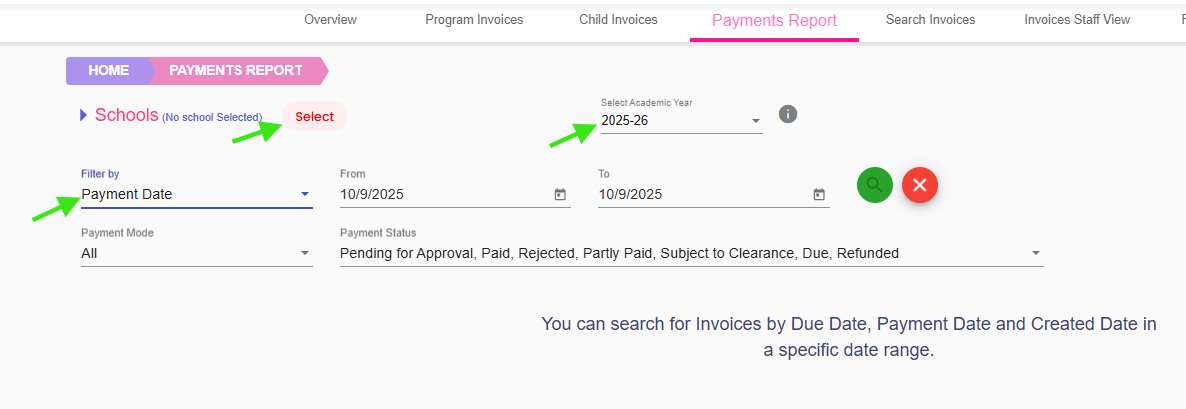
- Select Your School
- If you manage multiple schools, select one or more schools to generate reports simultaneously.
- When you have only one school, Kriyo selects it automatically — no additional action needed.
- Confirm Academic Year
- The current academic year is selected by default.
- Change it if you wish to view or download reports from a previous academic year.
- Apply Filters
- Created Date: View invoices created within a specific date range.
- Due Date: View invoices that are due in the selected period.
- Payment Date: View invoices paid during the selected period.
- Customise Your Report
- Choose a date range — custom, month, quarter, or year.
- Select payment mode — UPI, card, net banking, cash, or others.
- Pick payment status — paid, due, or partially paid.
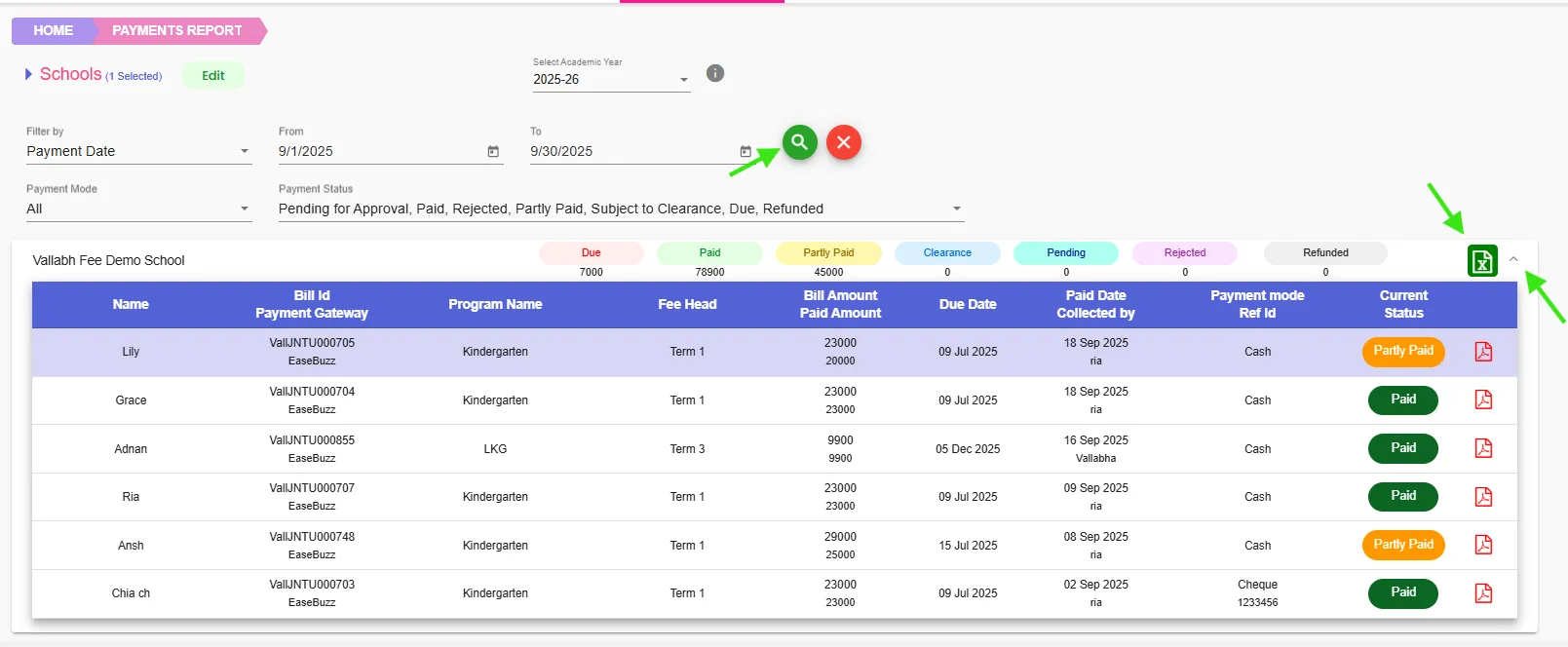
- View and Download the Report
- Click Search to see the summary view.
- Expand the dropdown to view the complete detailed report.
- To download the full report, click the Excel button.
- The exported report is ready for audits, management reviews, or school record maintenance.
Access your account from Kriyo Web.
Use filters to refine your report and view only the information you need:
Benefits of Payment Reports in Kriyo
- Access real-time insights into collections, dues, and overdues
- Customise and filter data by school, date, mode, or payment status
- Export reports instantly in Excel format for audits and reviews
- Eliminate manual data compilation and reconciliation errors
Related Articles
Related FAQs