How Customised Fee Receipts Help Schools Maintain Professional and Compliant Billing?
Fee receipts are more than just proof of payment. For schools, they represent credibility, transparency, and operational discipline. Parents expect receipts that clearly reflect the school’s identity, services, and payment details—especially as schools increasingly manage multiple programs, entities, and payment modes.
Kriyo’s Customise Fee Receipts feature is designed to help schools issue professional, branded, and compliant receipts automatically—without relying on manual formatting or external tools.
Why Generic Fee Receipts Create Challenges for Schools
Using plain or inconsistent receipts often leads to avoidable problems such as:
- Confusion for parents when receipts lack clear school or entity details
- Difficulty during audits or financial reviews
- Incompatible receipts for tax compliance and claims
- Errors when handling offline payments or third-party collections
- Inconsistent formats across online and offline transactions
As schools grow, these gaps become harder to manage—especially when multiple services like tuition, transport, or admission kits are involved.
Build Trust with Branded and Professional Receipts
Customised fee receipts allow schools to clearly display their identity on every payment record. By including elements such as the school logo, official name, address, and footer notes, receipts look professional and instill confidence in parents.
When parents download or share receipts—for reimbursements, documentation, or personal records—the school’s branding remains consistent and recognisable.
Maintain Compliance Across Different Fee Types and Entities
Many schools collect fees under different entities or payment gateways—for example, tuition under the school trust and admission kits under a separate organisation. Customised fee receipts make it easy to maintain clarity by applying the correct header, footer, and branding for each entity automatically.
This ensures:
- Accurate representation of the collecting entity
- Cleaner financial records
- Fewer reconciliation issues
Even when parents choose to pay outside the app, Kriyo maintains the same receipt format for that fee type, avoiding inconsistencies.
Ensure Consistency Across Online and Offline Payments
Whether a fee is paid online, recorded offline, or included in a consolidated receipt, the receipt format remains consistent. Schools no longer need to manually edit documents or explain differences to parents.
This consistency becomes especially valuable when handling:
- Cash or bank-transfer payments
- Consolidated receipts for multiple invoices
- Audits or internal reviews
Improve Operational Efficiency Without Extra Effort
Once configured, customised fee receipts are applied automatically. Schools don’t need to recreate templates or reissue receipts every time a change is made. Updates to branding or details flow seamlessly across all future receipts, saving time and reducing manual work.

Professional Fee Receipts, Without Manual Effort
Design branded, compliant receipts that work seamlessly across online and offline payments — all from one place in Kriyo.
How to Customise Fee Receipts in Kriyo
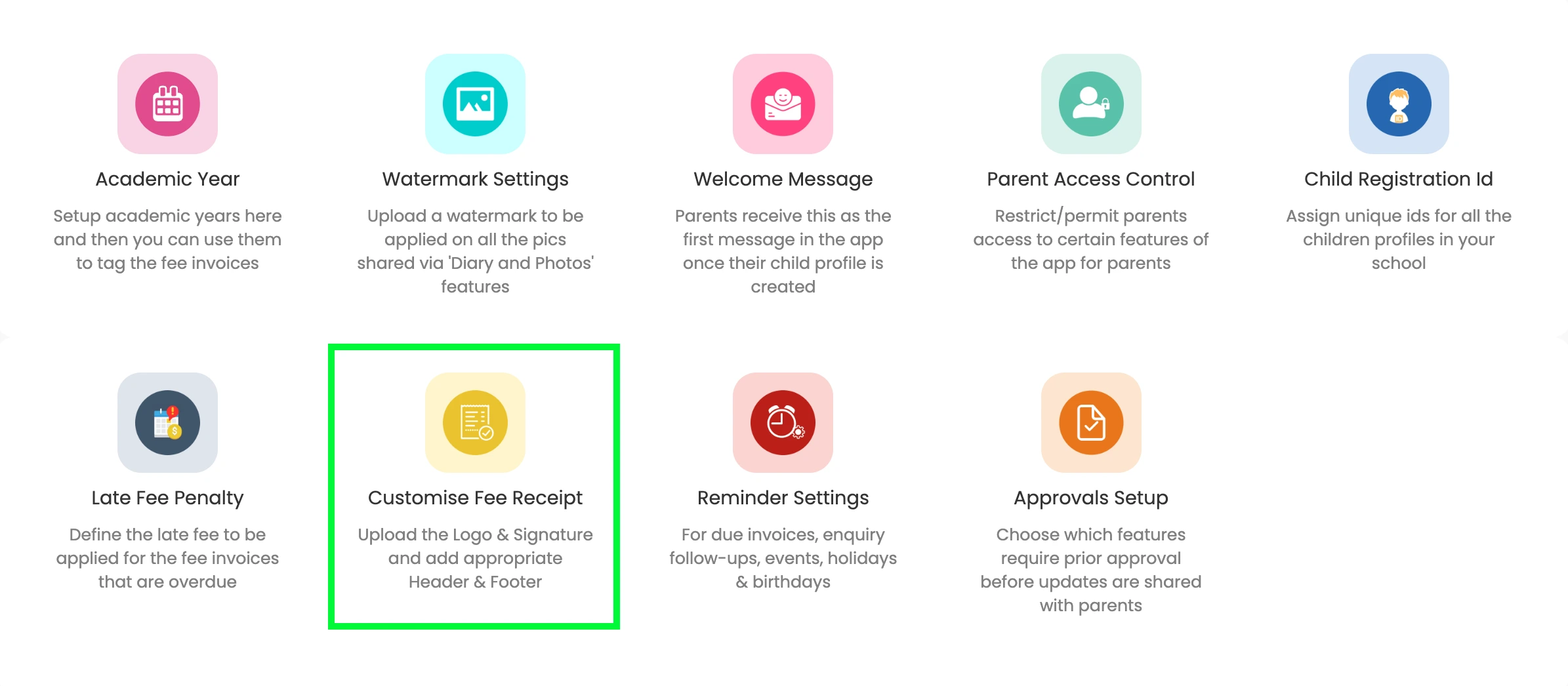
Kriyo allows schools to customise fee receipts so every payment record reflects the school’s branding, legal details, and compliance needs. Basic customisation is available from the School Profile, while advanced options are available in Kriyo Web under Configuration Settings.
Where to Configure Fee Receipts
📍 Available only on Kriyo Web
Go to:
Admin Tools → Configurations → Customise Fee Receipt
Understanding Receipt Types in Kriyo
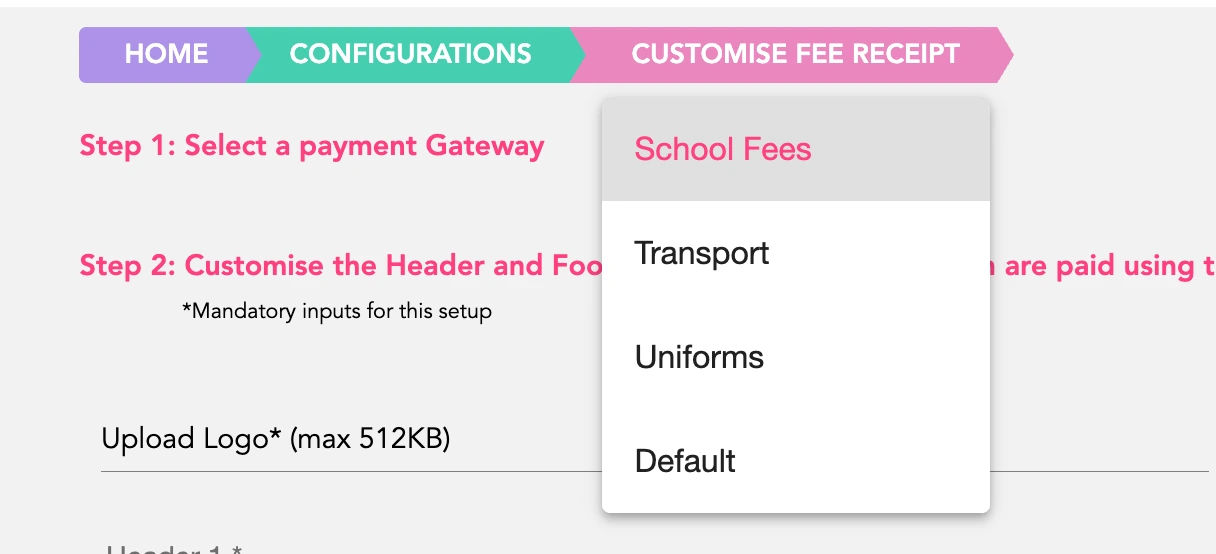
You’ll see two types of receipt configurations:
- Payment Gateway–linked receipts
Used for invoices paid via a specific payment gateway
- Default Fee Receipt
Used for:
- Cash payments
- Offline payments
- Invoices not linked to any payment gateway (e.g., transport, kits)
Each receipt type can be customised independently.
Customising a Fee Receipt
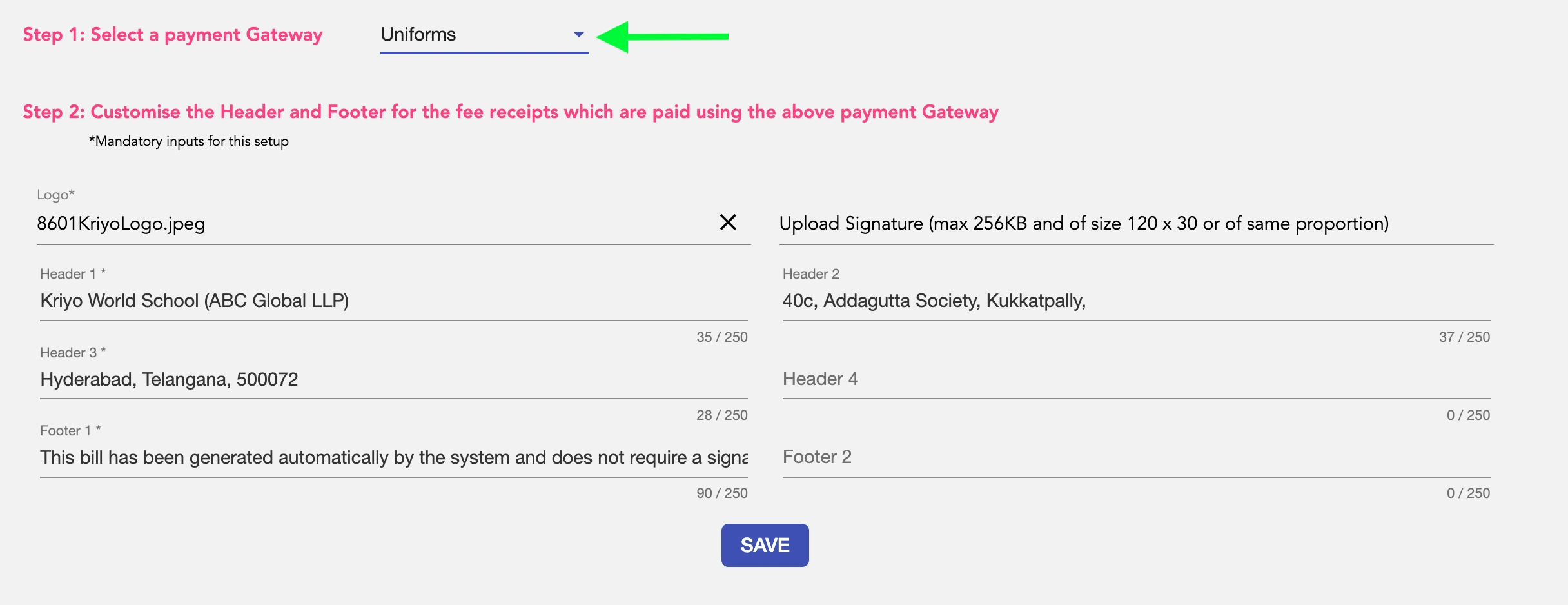
From the Customise Fee Receipt screen:
- Select the Payment Gateway (or Default Fee Receipt)
- Add or update the following:
- School or organisation logo
- Optional signature image
- Header details (school/entity name, address, contact details, tax info)
- Footer notes (e.g. system-generated receipt, refund policy)
- Click Save
The updated receipt format will be applied automatically to all future receipts for that gateway or fee type.
Creating Different Receipts for Different Entities or Services
If your school collects fees under multiple entities:
- Link multiple payment gateways
- Open Customise Fee Receipt
- Select the relevant gateway or entity
- Configure branding and details specific to that entity
- Save changes
This is useful when:
- Tuition fees and admission kits are billed under different organisations
- Separate branding or tax details are required
Important Behaviour to Note
- If a receipt design is linked to a payment gateway, the same design is used even when parents pay outside the app
- Changes apply only to receipts generated after saving
- Existing receipts are not modified retroactively
Consolidated Fee Receipts
Kriyo supports consolidated receipts for multiple paid invoices:
- On Kriyo Web:
- On the Parent App:
Fee Invoices → Child Invoices → Select multiple paid invoices → Actions → Consolidated Fee Receipt
Parents can multi-select paid invoices and download a single consolidated receipt
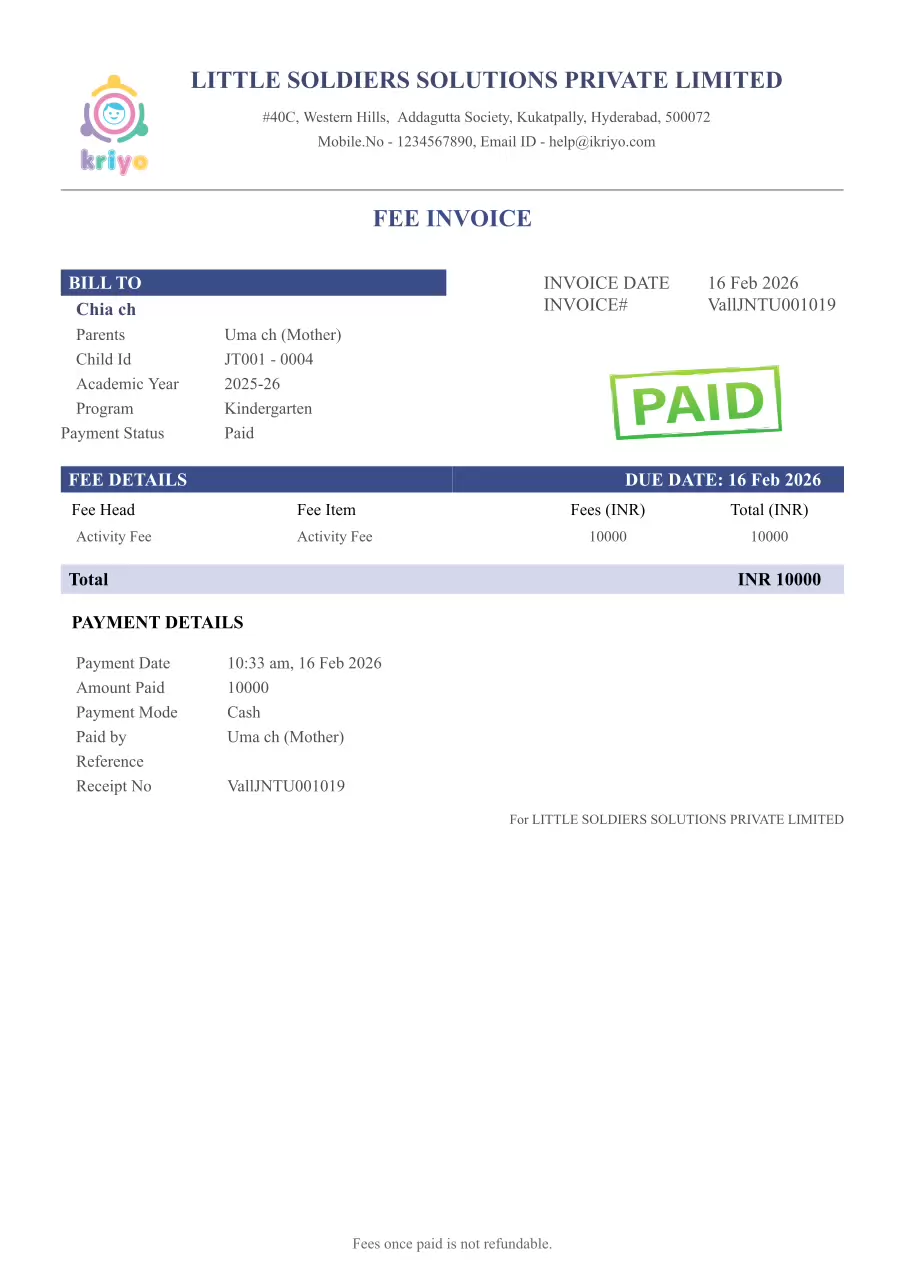
What Parents See on the Receipt
- Clear breakdown of fee components
- Late fee penalty (if applicable)
- Payment details
- School or entity branding
- One consolidated, professional receipt per transaction
Summary
With customised fee receipts in Kriyo, schools can:
- Maintain consistent branding
- Support multiple entities or services
- Ensure clarity for parents
- Reduce manual adjustments
- Stay audit-ready
Related Articles