How to use Play and Learn in Kriyo?
The Play and Learn feature in Kriyo helps schools and preschools share meaningful classroom moments with parents — showing that every “I just played” actually means learning through fun and exploration. Teachers can quickly log what children did during the day, whether it was an indoor or outdoor activity, and include photos or voice notes to make the updates more engaging.
- Navigate to the Feature
- Tap on See All Features from your Kriyo home screen.
- Under the Activities section, select Play and Learn.
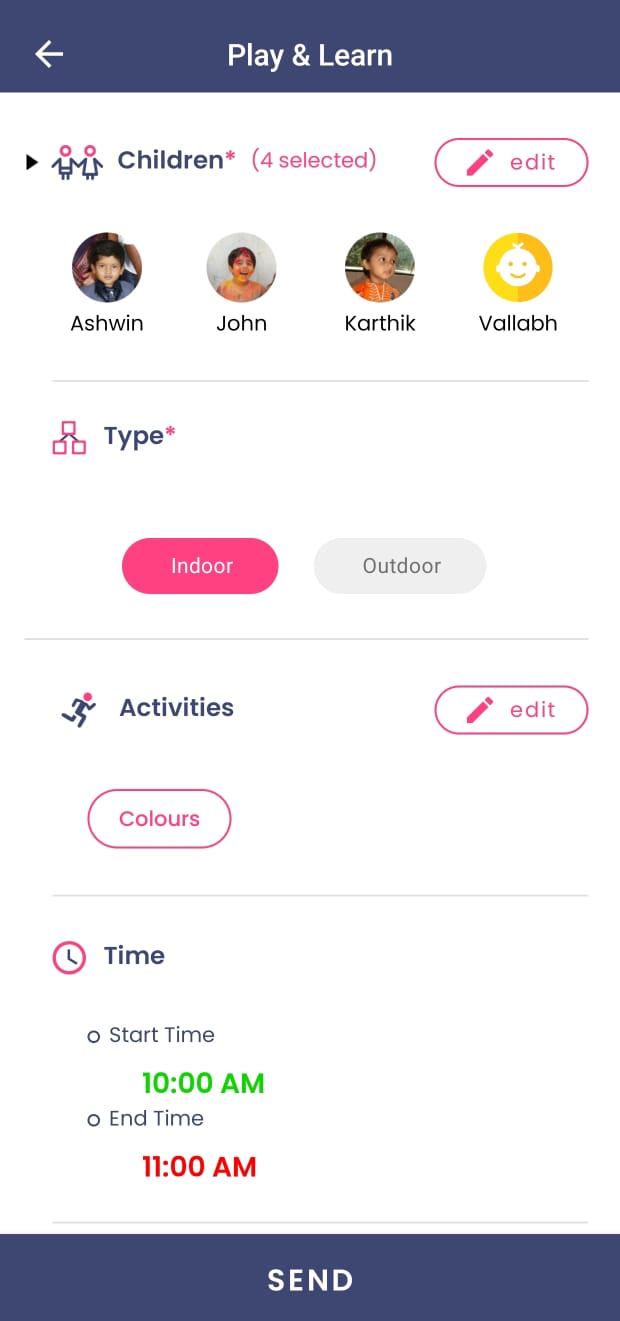
- Select Children
- Tap on “+add” button next to Children and choose one or multiple children, even from different programs, to include in this update.
- Choose Activity Type
- Select whether the activity was Indoor or Outdoor.
- Add or Select Activity Name
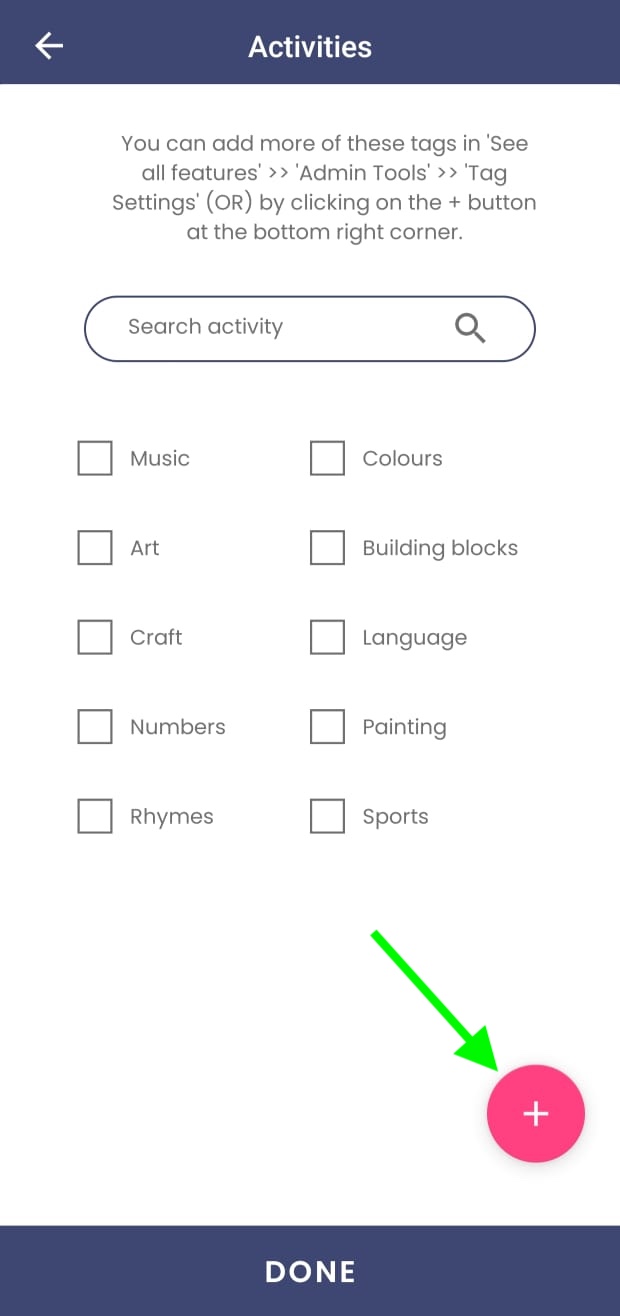
- Tap on the Add button next to Activities.
- You’ll see a list of default activity names (like “Color Sorting” or “Story Time”).
- To save time, you can create new activity names by clicking the + button at the bottom right corner.
- These custom activity tags can be reused anytime.
- Manage Activity Tags
- If you need to add, modify, or delete any existing activity tags, go to Admin Tools → Tag Settings→ Play and Learn Tags.
- Add Details and Attachments
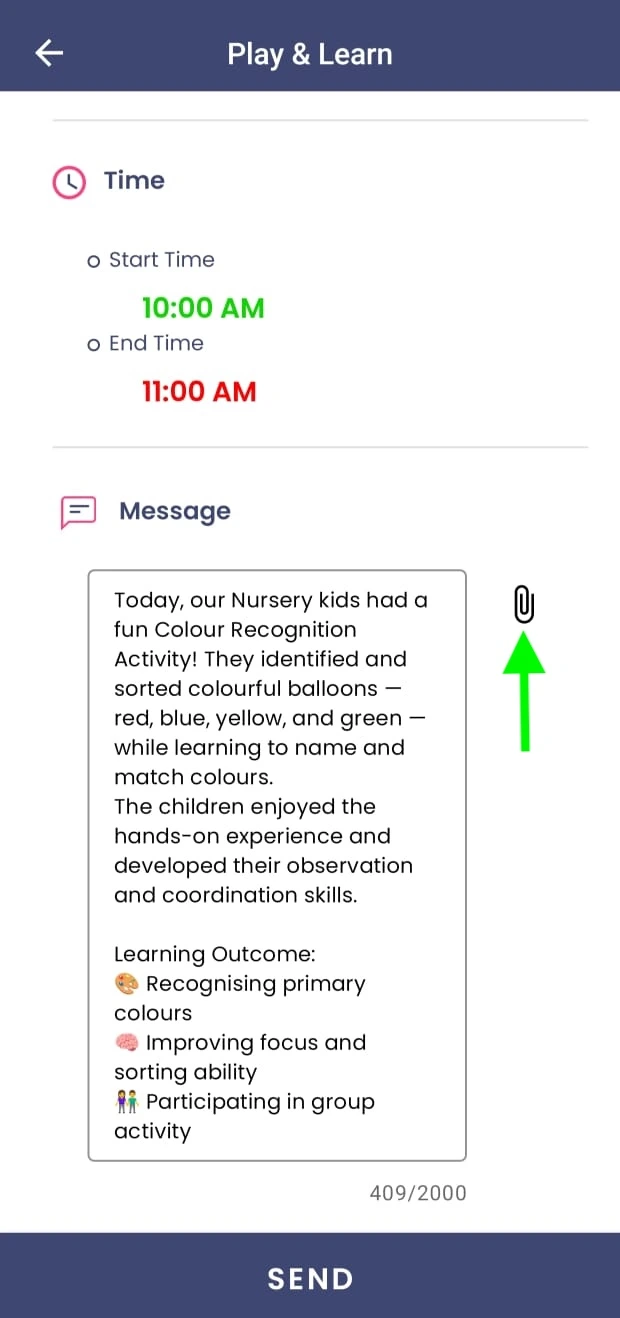
- After selecting the activity name, you can mention the start and end time (optional).
- Add a short description explaining what the children did and what they learned.
- You can attach photos, documents, or a voice message.
- Send the Update
- Once ready, click Send.
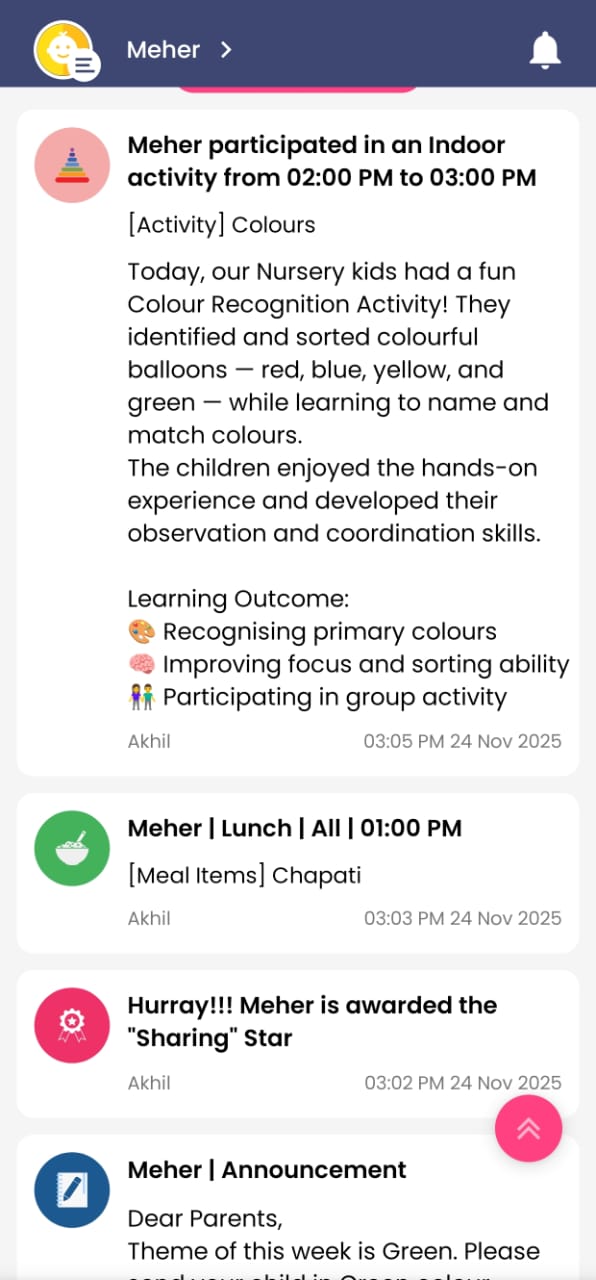
- The parents will be notified instantly, and the update will appear on the Parent App home page.
Pro Tips
- 💡Create your list of Play and Learn activity names once from Admin Tools and reuse them across sessions to save teachers’ time.
- 💡Use Indoor/Outdoor tags regularly to highlight a balanced learning environment.
- 💡Add photos or voice clips to make learning moments more personal and meaningful for parents.
- 💡Decide your own frequency — daily, weekly, or for special activities — based on what suits your school best.