How to correct or unmark attendance in Kriyo?
Kriyo gives schools and teachers the flexibility they need to manage attendance easily and accurately — even when plans change.
Whether a child was marked incorrectly or attendance needs to be updated later, Kriyo makes it simple to correct, unmark, or backdate attendance — all while keeping parents informed automatically.
Correct or Unmark Attendance
Mistakes happen — a child may be marked as present instead of absent, checked in too early, or marked by mistake.
With Kriyo, you can quickly fix or undo attendance from either the Mobile App or Kriyo Web in just a few steps.
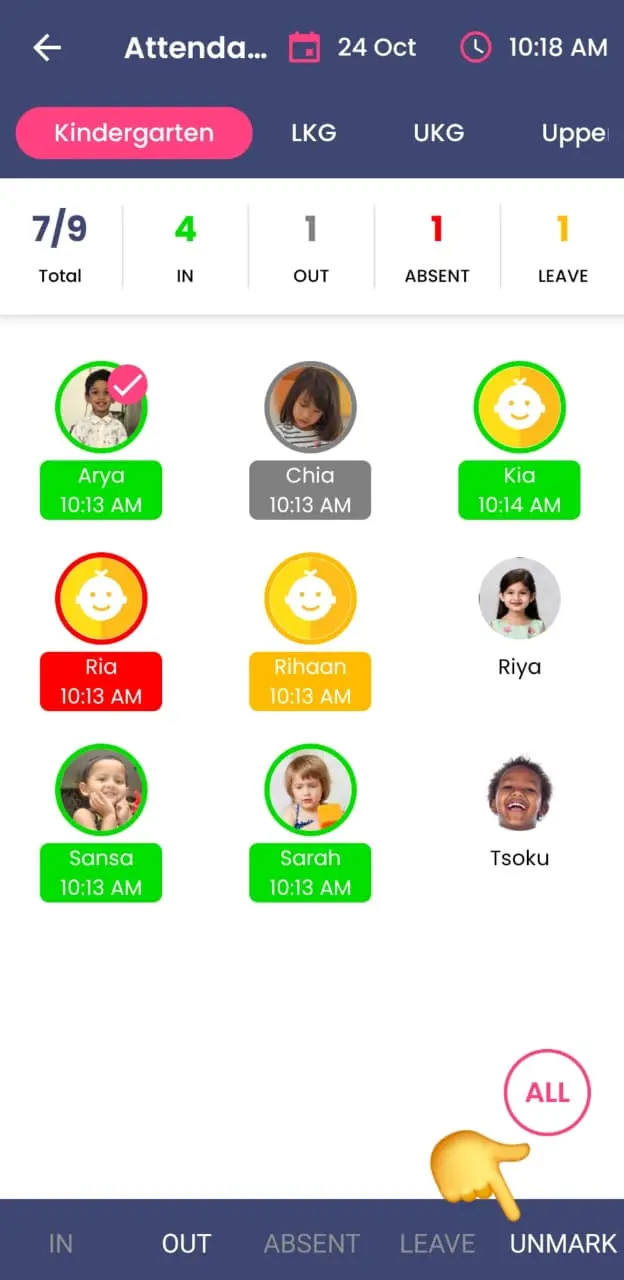
- Tap on the child’s photo to select them.
- Choose the correct status — In, Absent, or Leave.
- To remove a marked status, tap Unmark.
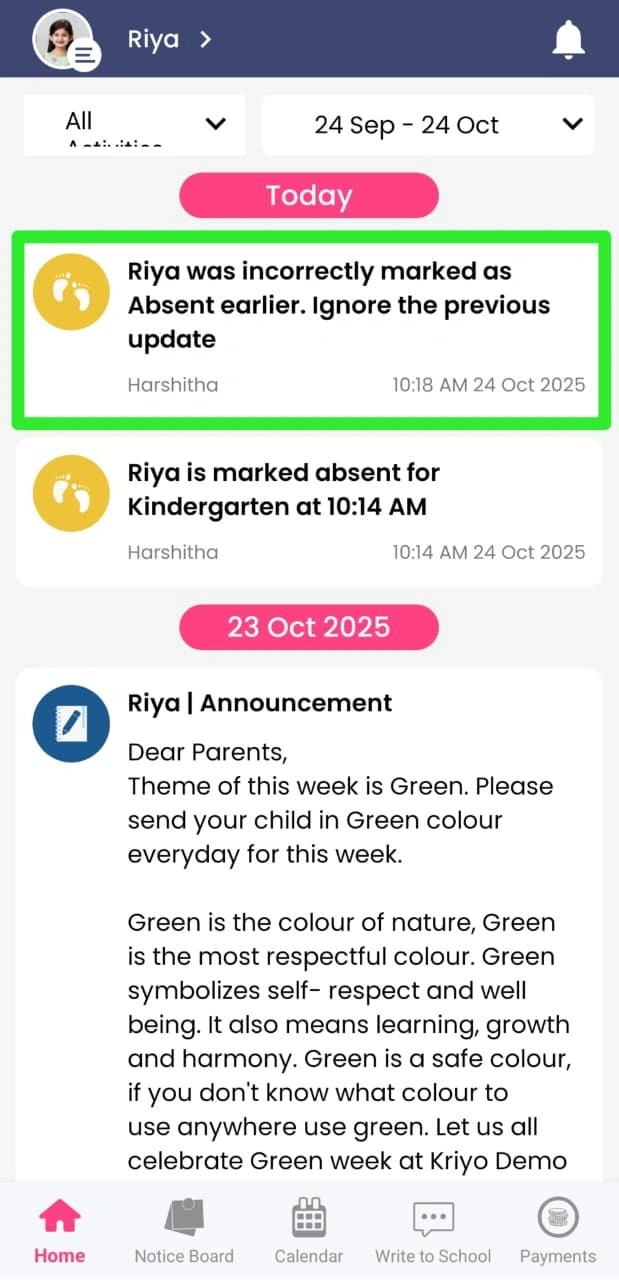
Once updated, Kriyo automatically adjusts the record and sends a clear, contextual message to parents — for example:
“Ria was incorrectly marked as absent earlier. Ignore the previous update.”
or
“Ria was incorrectly marked as Checked-In earlier. Ignore the previous update.”