How to mark attendance for a past date or time in Kriyo?
Kriyo understands that teachers may not always be able to mark attendance right at drop-off. Children may take time to settle in,or teachers may simply get busy during the morning rush.
That’s why Kriyo allows you to mark attendance for a past time or even a past date — so records always stay accurate and complete.
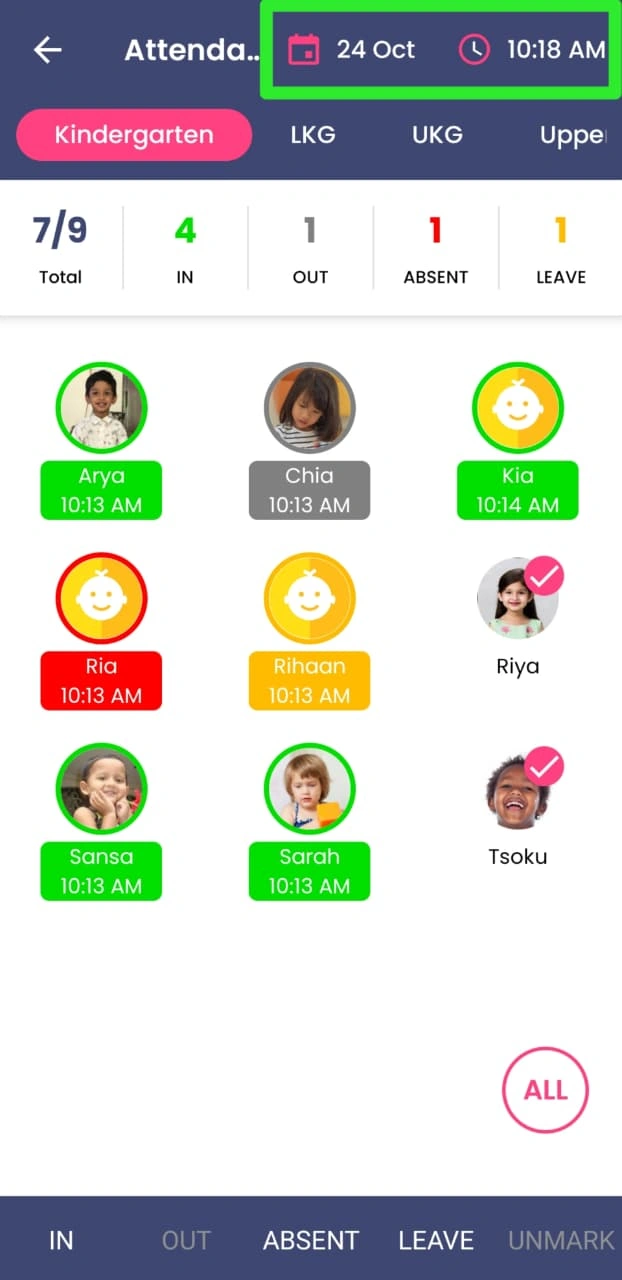
- Go to the Attendance feature and tap on the child for whom you want to mark attendance.
- To mark attendance for a past time on the same day, tap the Time option on the top right and select the correct time.
- The parent will receive a notification with the updated check-in or check-out time.
- To mark attendance for a past date, tap the Date option on the top right, choose the required date, then adjust the time if needed.
- The update will be added to the child’s daily report for that date, but parents will not receive a new notification.
- Finally, select the status — In, Absent, or Leave — to complete the update.
This ensures that records remain accurate while notifications are sent only when relevant — keeping communication clear and professional.