How to generate children attendance reports in Kriyo?
Kriyo makes it easy to view and analyze attendance trends — whether you want a quick classroom summary or a detailed, downloadable report for your records.
On the mobile app, you can:
- View class-level attendance summaries in the Attendance feature, and
- Check overall school statistics on the Attendance Dashboard, including data for the last five days.
To generate and download detailed attendance reports for analysis, billing, or payroll, you can use Kriyo Web.
Simply log in to generate real-time, comprehensive reports — no waiting or sync delays.
🔗 Log in to Kriyo Web using the same credentials as your mobile app.
Steps to generate attendance reports
Step 1: Open the reports section
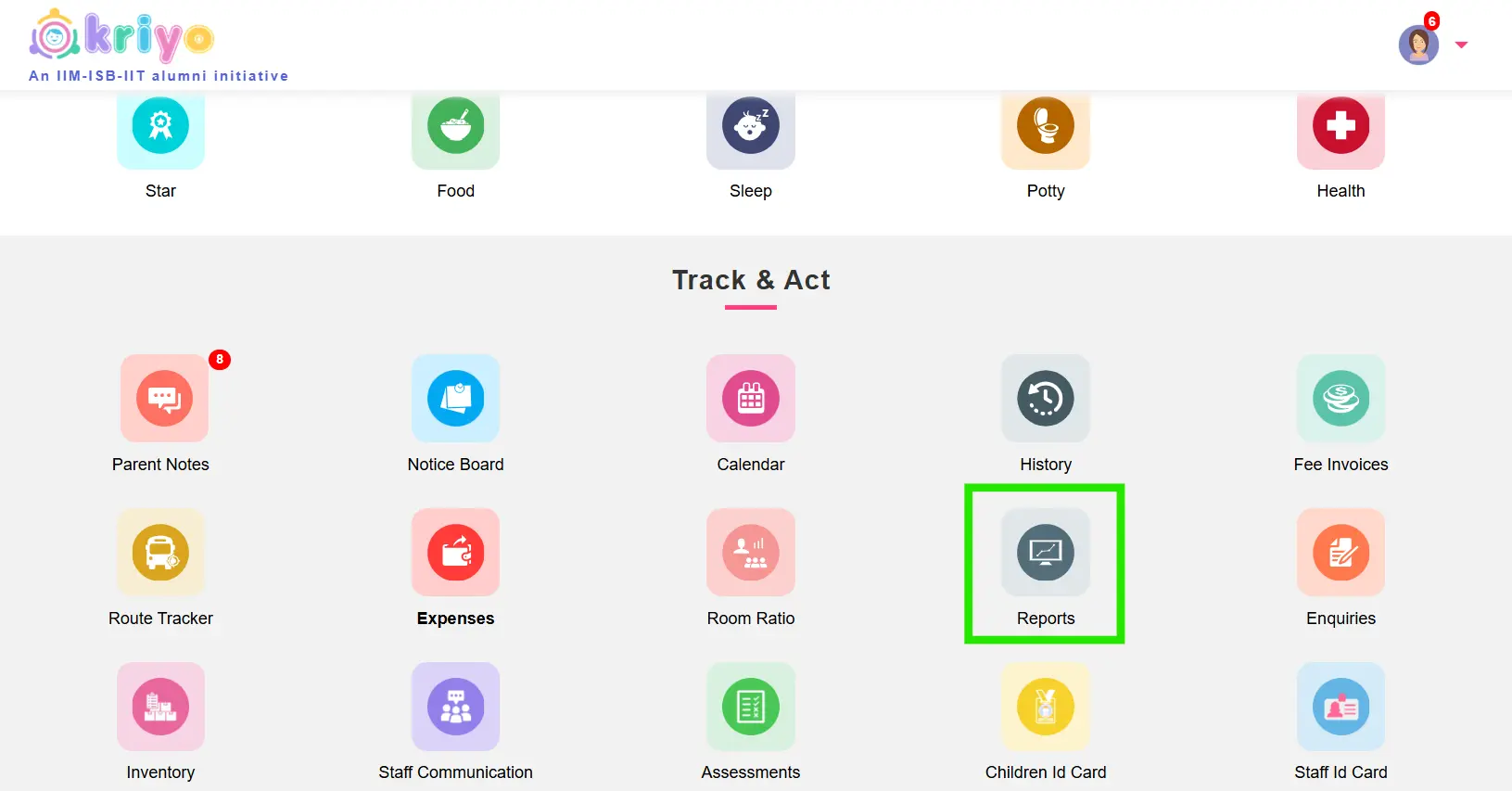
After logging in, scroll down to the Track & Act section and click on Reports.
Step 2: Apply filters
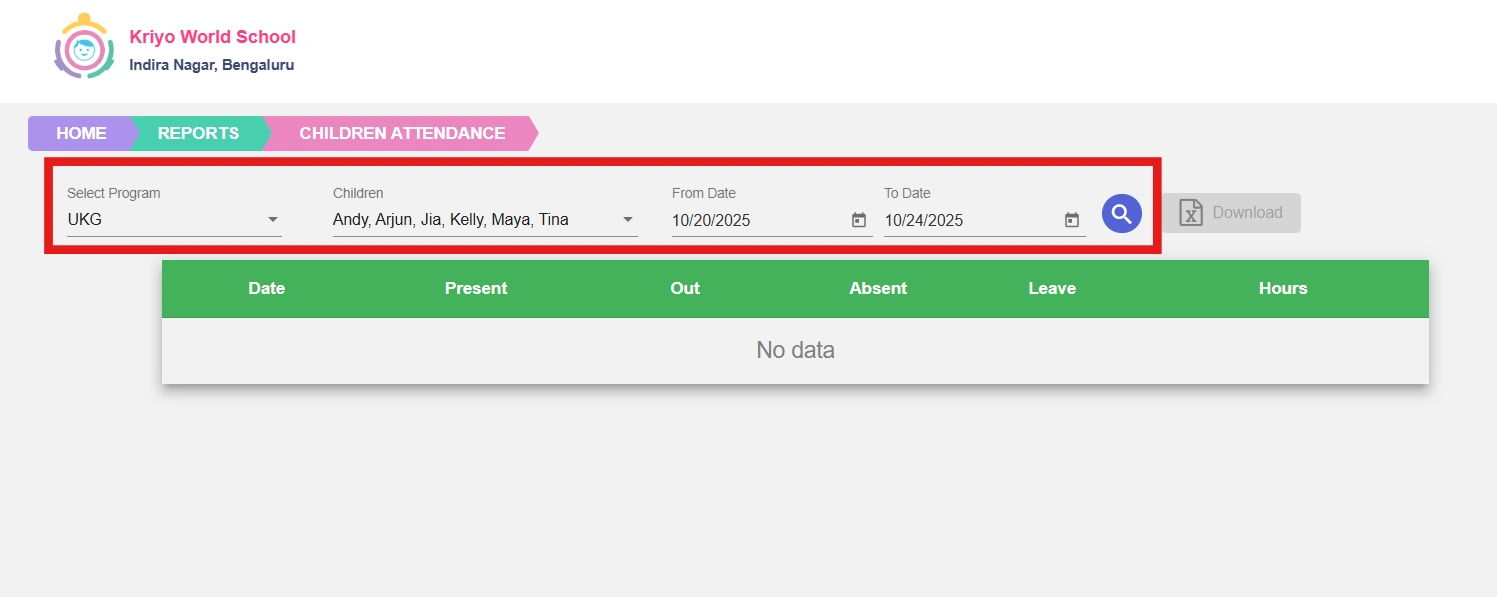
In the Reports page, select Children Attendance.
Then, choose your filters:
- Program: Select one or multiple programs or classes
- Children: Choose specific students or all children
- Date Range: Pick the time period for your report
Click Search once your filters are set.
Step 3: View attendance summary
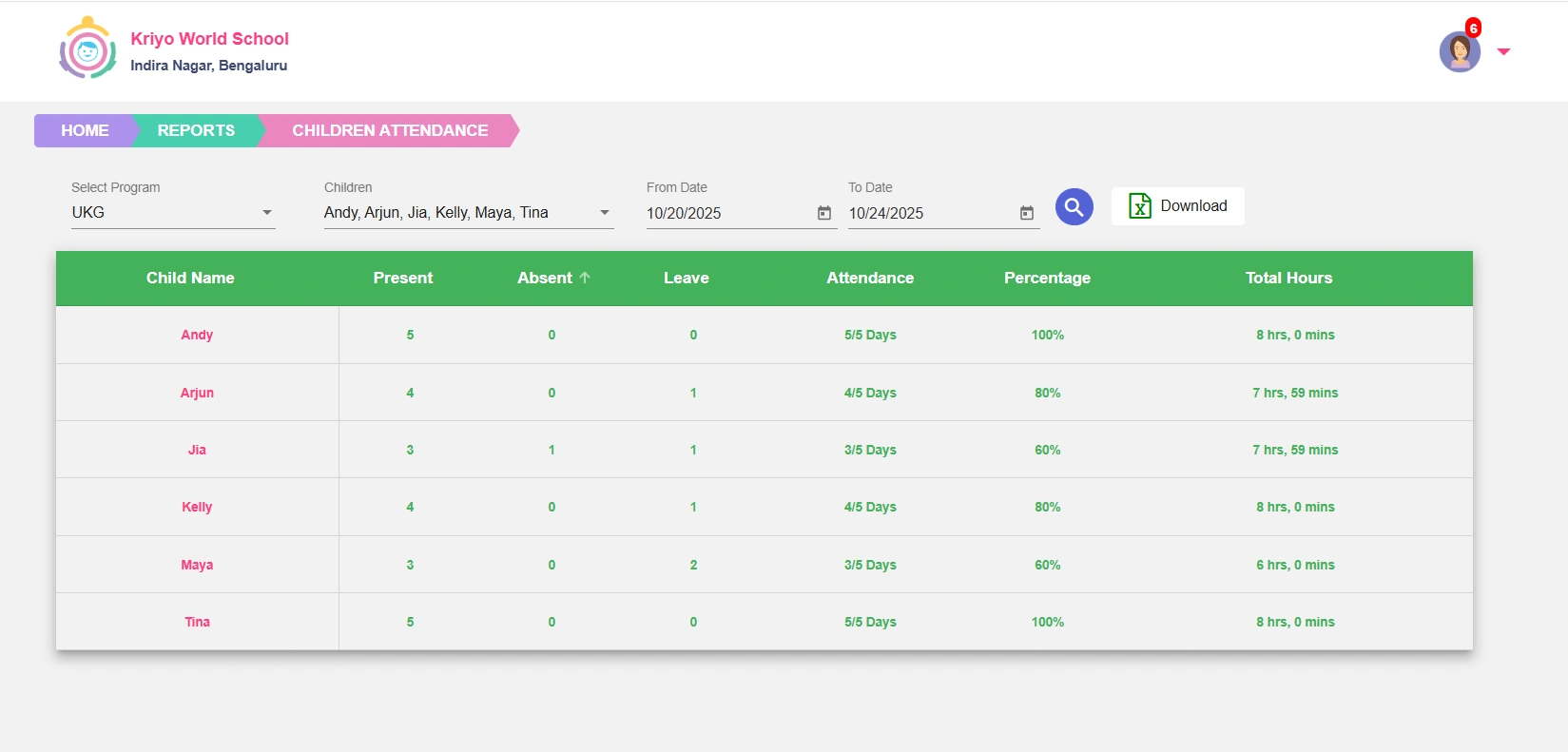
For each selected student, you’ll see:
- The number of days present, absent, or on leave
- The total number of days attended versus the total working days
- The attendance percentage and the total hours the child spent in school
Step 4: Download detailed report
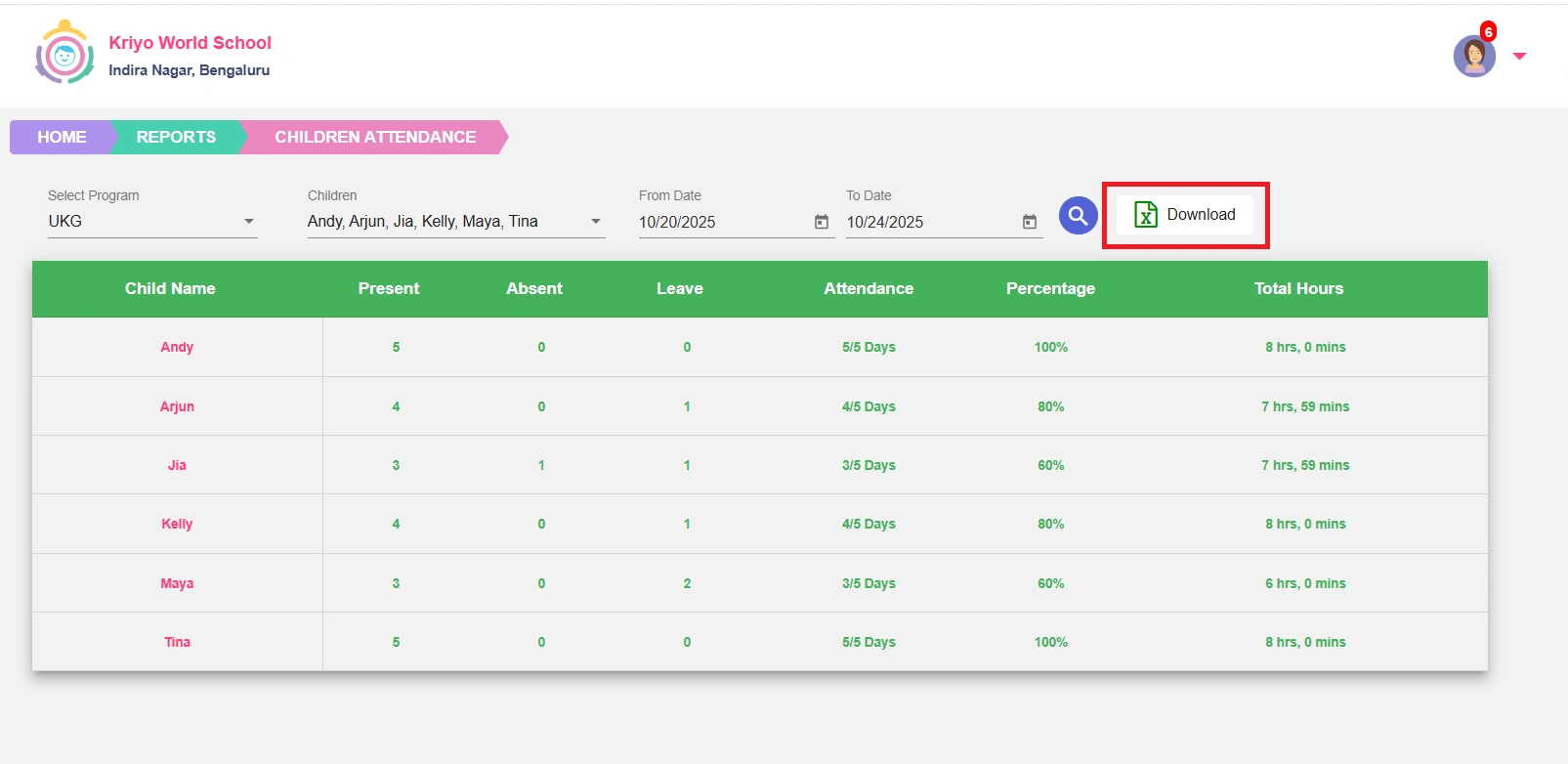
Click the Download button to instantly generate an Excel report.
The downloaded report includes:
- A summary tab with attendance counts and percentages
- A consolidated report tab showing
- Check-in/out times,
- Who marked the attendance, and
- Method used (Manual, QR, or Kiosk)
- Separate tabs for each child, so you can review or share individual reports easily
Why It’s useful
Attendance reports in Kriyo are generated in real time, ensuring accuracy without any waiting or sync delays.
They help schools:
- Maintain accurate and transparent attendance records
- Simplify billing, payroll, and compliance processes
- Gain a complete, up-to-date view of attendance trends across programs and staff