How to Set Up Approval Workflows in Kriyo
Approval Setup in Kriyo allows schools to review staff updates before they are sent to parents, while still avoiding delays through smart auto-approval rules. This setup is managed only from Kriyo Web.
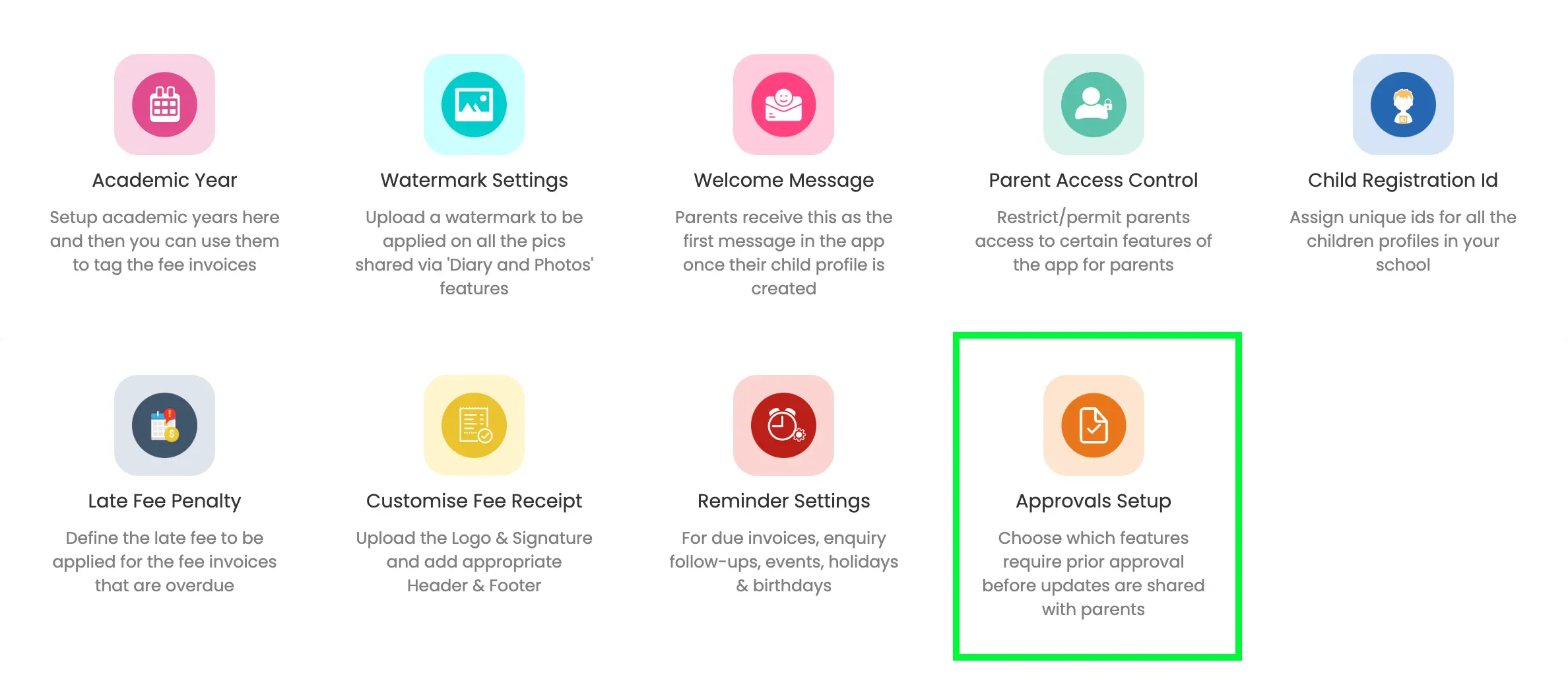
Where to Find Approval Setup
- Open Kriyo Web
- Scroll to Admin Tools
- Click Configurations
- Select Approval Setup
This is where all approval rules are configured for your school.
Enabling Approvals for Activities
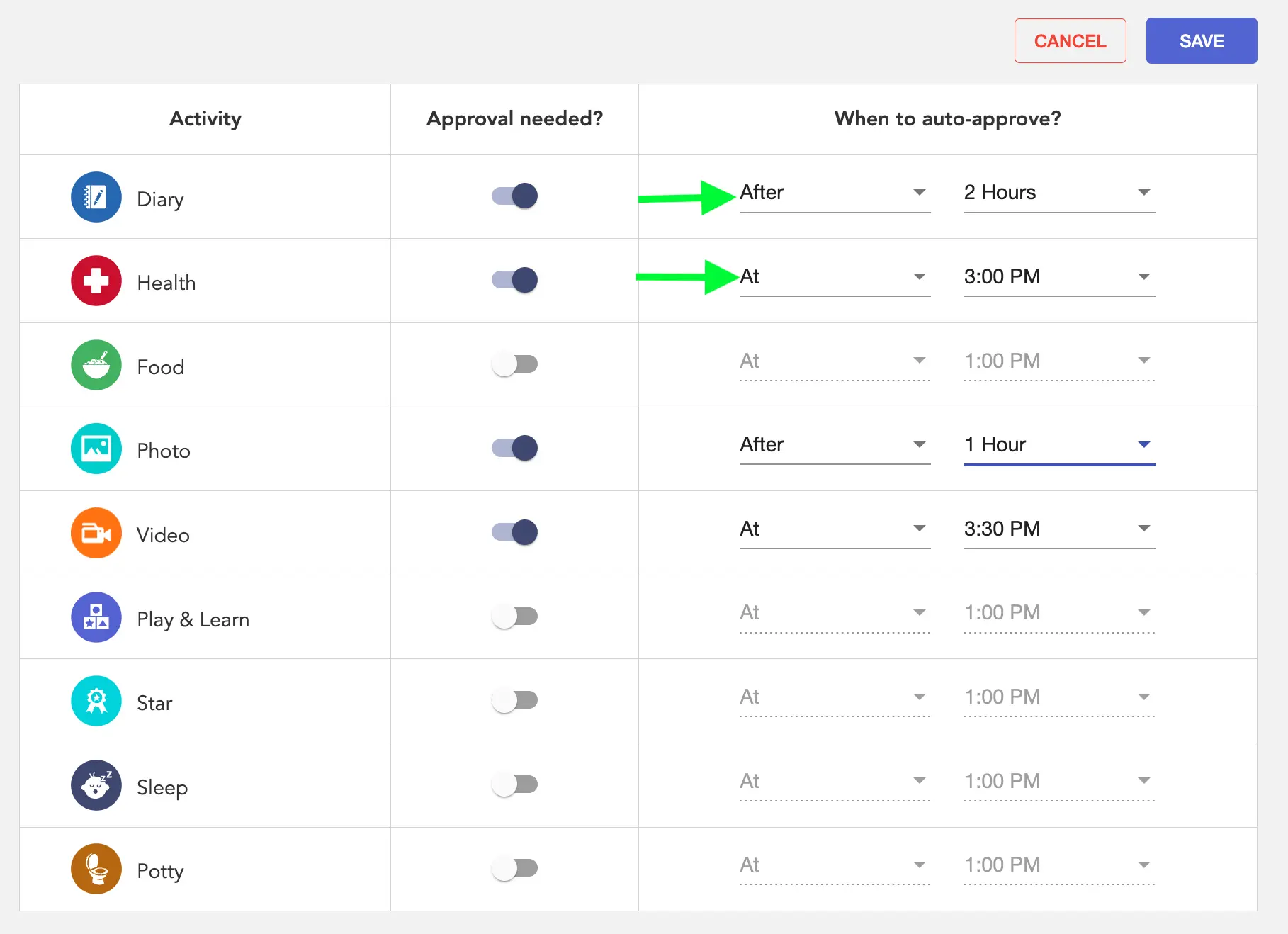
In Approval Setup, you’ll see a list of activity types (for example: Diary, Food, Play & Learn, etc.).
For each activity, you can:
- Turn Approval ON → updates require review before reaching parents
- Turn Approval OFF → updates go directly to parents
📌 Approvals can be enabled for all activity features except Attendance, Observations, Parent Notes, and Albums.
Setting Auto-Approval Rules
To avoid delays when approvers are busy, Kriyo supports auto-approval.
For each activity that requires approval, you can configure:
- Auto-approve after a fixed time delay (minutes or hours), or
- Auto-approve at a specific time of day
If an approver doesn’t take action before the auto-approval rule applies, the update is automatically sent to parents.
Important Cut-Off Rule (11:45 PM)
All pending updates are always sent on the same day.
- Any update submitted after 11:45 PM (local time) is auto-approved instantly
- This ensures daily updates are not carried over to the next day
Parents will see the approval time as the sent time — not when the teacher originally submitted it.
Who Can Approve Updates
- Admins can approve by default
- Admins can assign Approvals permission to:
- Center heads
- Coordinators
- Other trusted staff
This helps distribute responsibility without overloading one person.
What Happens After Setup
Once Approval Setup is configured:
- Teachers submit updates as usual
- Updates requiring approval appear in My Tasks
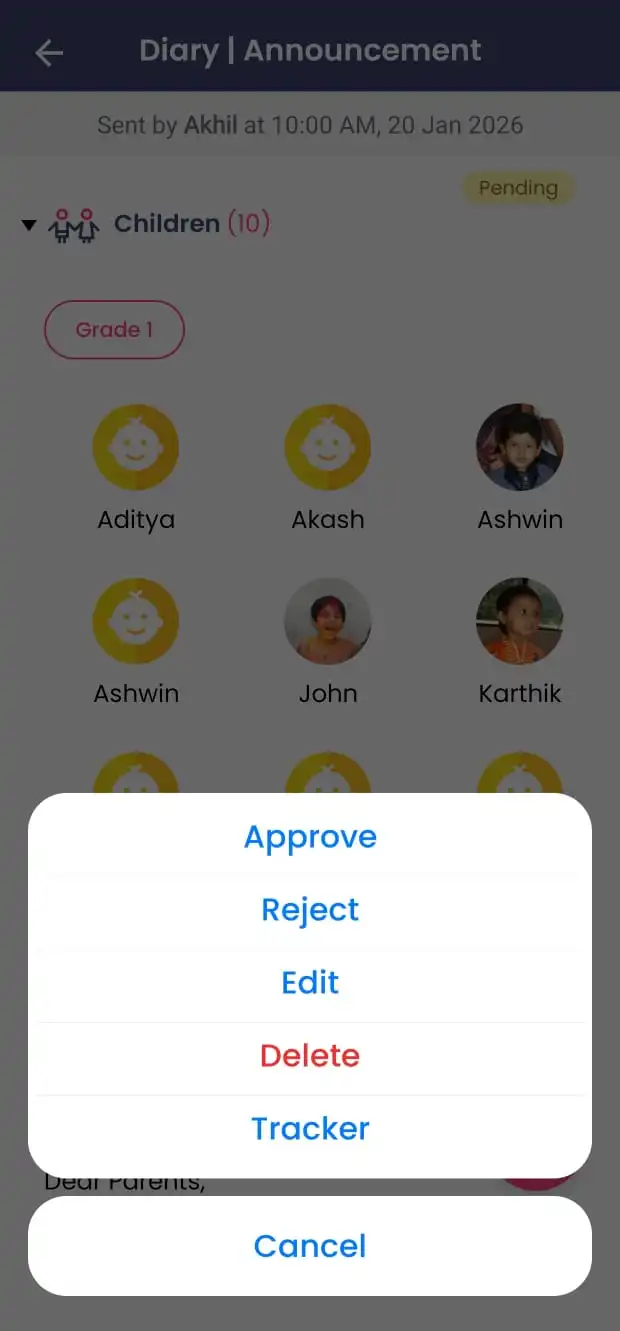
- Approvers can:
- Approve
- Reject with comments
- Edit or delete (based on permissions)
- Auto-approval applies if no action is taken within the configured time