How to Configure Parent Access Control in Kriyo
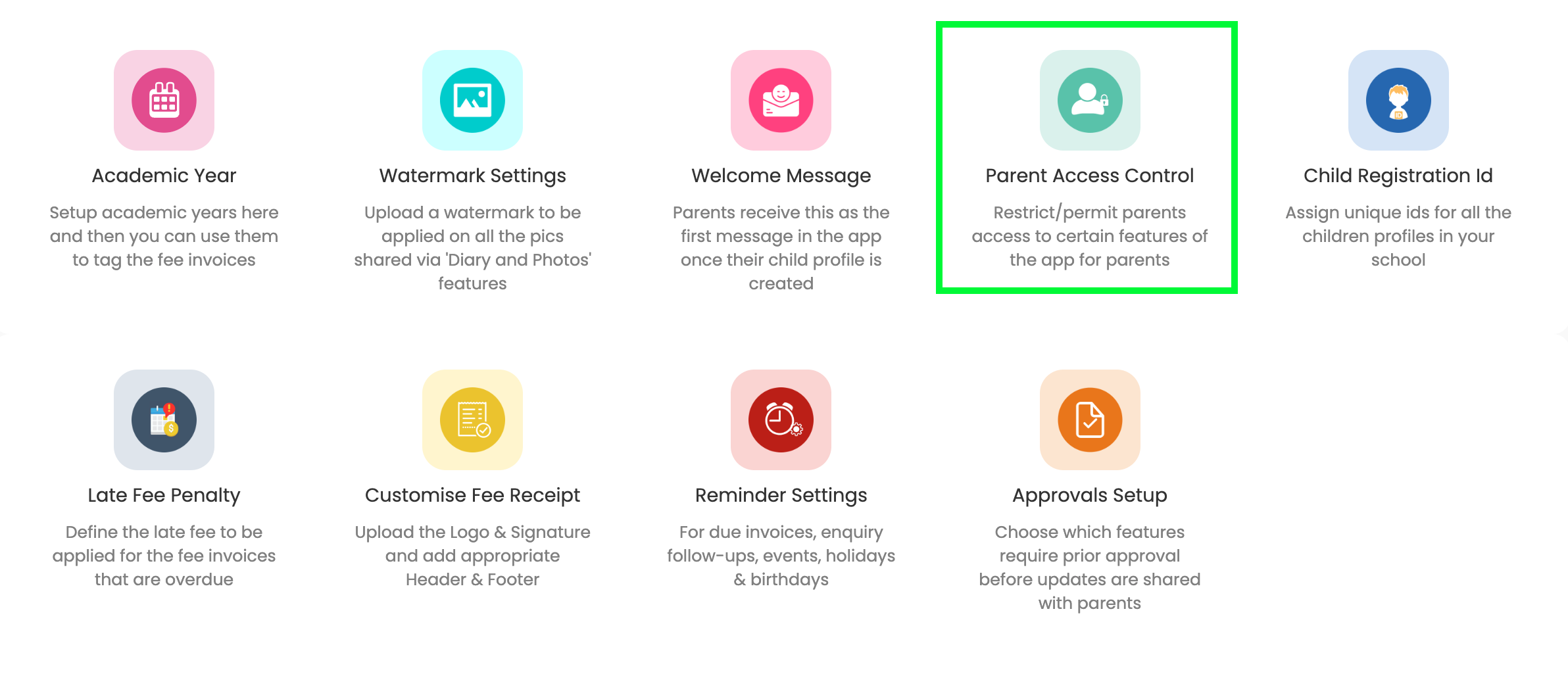
Where to Find Parent Access Control
Parent Access Control is available only on Kriyo Web.
Go to: Admin Tools → Configurations → Parent Access Control
Default School-Level Settings
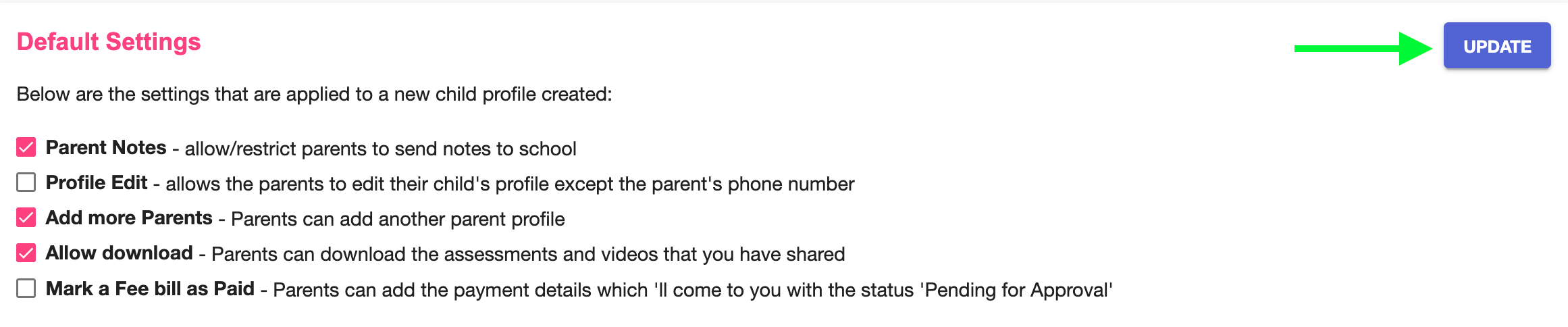
In the School-Level Settings section, you can enable or disable options such as:
- Allow parents to send notes or queries
- Allow editing of child profile details
- Allow adding family members
- Allow downloading assessments or videos
- Allow marking fee bills as paid
Save these settings to apply them to all future child profiles.
Customising Settings for Specific Children
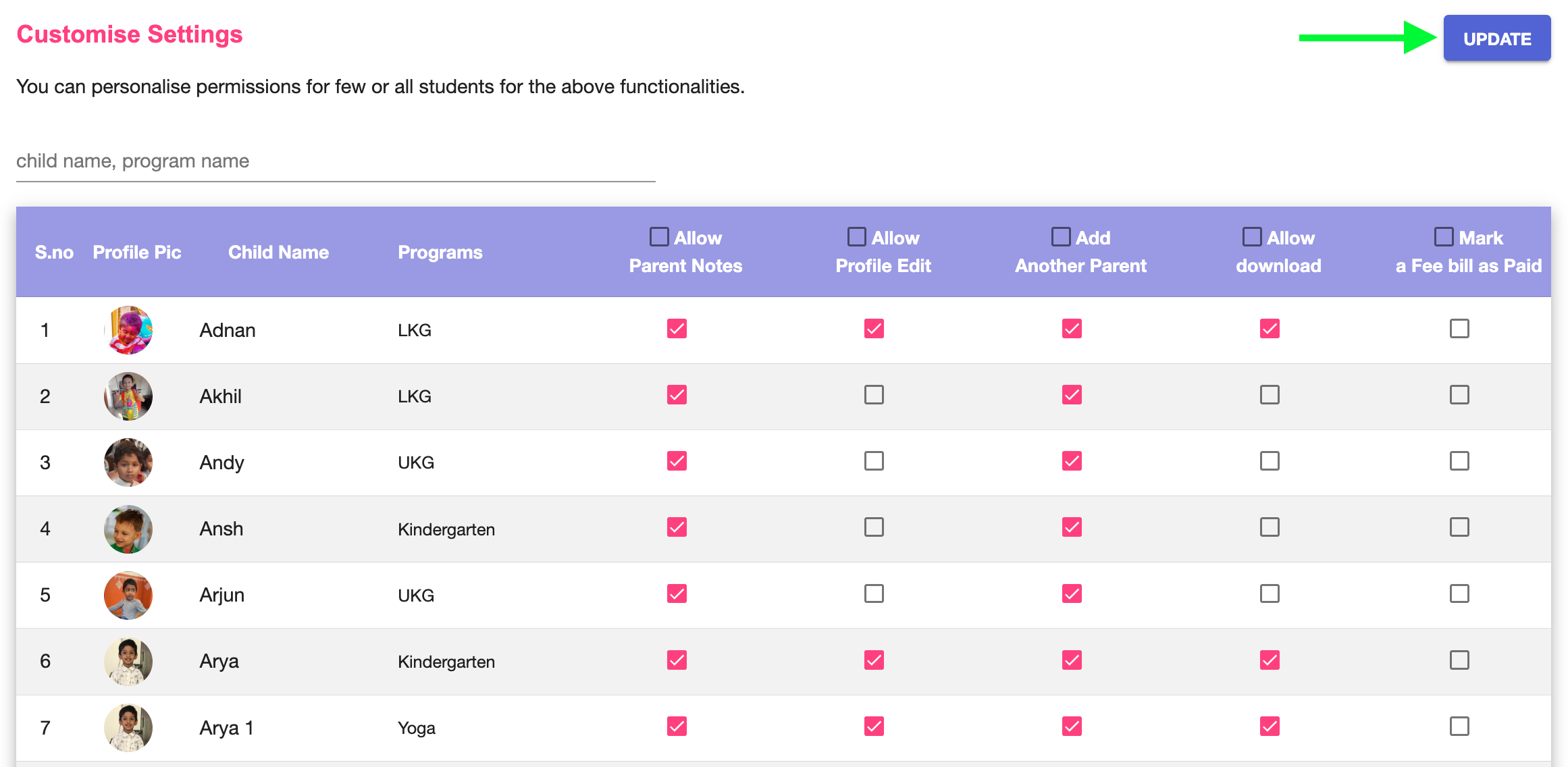
To override settings for individual children:
- Scroll to Customise Settings
- Search by child name or program
- Enable or disable required options
- Click Update
These changes apply only to the selected child’s family members.
Important Behaviour Notes
- Parent permissions apply equally to all family members of a child
- Different permissions cannot be set for different parents of the same child
- Parents can view restricted content in the app, even if downloads are disabled