How to track and respond to messages from parents in Kriyo?
Managing parent communication is simple and efficient with Kriyo’s Parent Notes. All messages sent by parents — whether related to leave, homework, health, or pickup changes — are delivered directly to the authorised staff members assigned to that program.
Here’s how you can track, view, and respond to these messages seamlessly.
- Receiving a New Message From a Parent
- “You got a new note from Riya’s parent.”
- Viewing the Parent’s Message
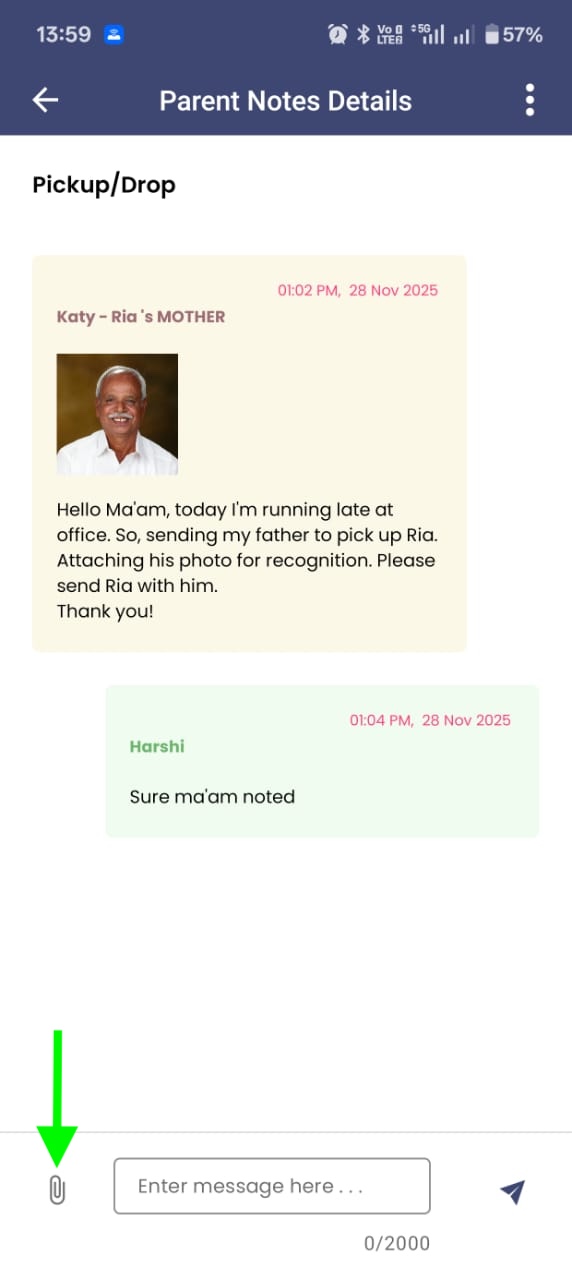
- The type of request (leave, pickup/drop, homework, medicine, etc.)
- The message typed by the parent
- The parent’s name, relationship, and the timestamp
- Any attachments they have shared
- Responding to the Parent
- Tracking and Managing Ongoing Requests
- Total requests received for each program
- How many are still pending
- Which programs require attention
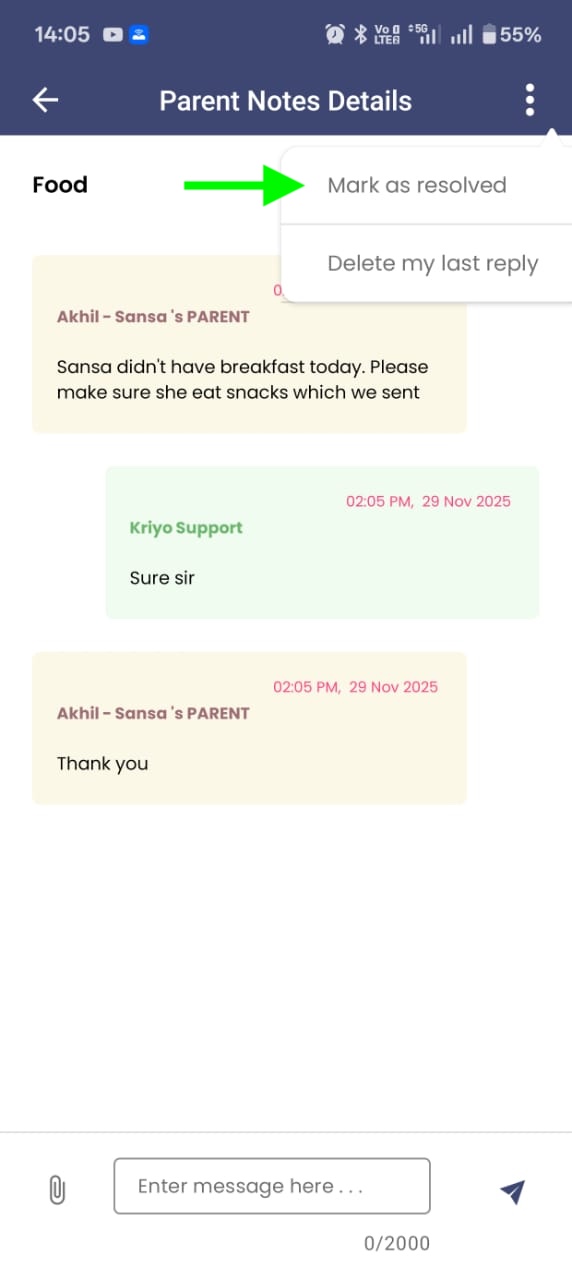
- Marking a Conversation as Resolved
- 1. Open the Parent Note
- 2. Tap the three-dot menu in the top-right corner
- 3. Select Mark as Resolved
Whenever a parent sends a note, all authorised staff members instantly receive a notification such as:
When you tap the notification, Kriyo opens the specific Parent Note with all the details, allowing you to act immediately.
Inside the Parent Note, you will see:
If the message is part of an ongoing conversation, Kriyo automatically shows the entire conversation history within the same thread.
So, if the parent replies again or continues an earlier discussion, you will see all previous messages in sequence — ensuring full context before responding.
You can reply directly within the same thread, and if needed, attach a photo, voice message, or document to support your response.
Once you send your reply, the parent immediately receives a notification that the school has responded, and they can continue the conversation if required. There is no limit to the number of back-and-forth messages, allowing the entire query to be resolved smoothly within the same thread.
From the Kriyo home page, you’ll see a high-level summary of all parent requests received that day and how many remain unanswered.
When you tap on this summary, Kriyo takes you to a detailed program-wise split, showing:
You can then tap on any program to view the exact list of Parent Notes and open any thread to respond.
Sometimes a parent ends the conversation with a simple “Thank you.” These messages still appear as “unanswered,” even though no action is required.
To close such threads without replying:
The thread is immediately marked as completed, and the unread count updates both in Parent Notes and on the dashboard.
If you prefer, you can still reply with a short acknowledgment like “You’re welcome,” but it’s optional.
Kriyo’s Parent Notes helps school teams stay organised, respond faster, and manage all conversations with clarity. Whether it’s tracking pending queries or resolving ongoing threads, everything stays in one place — making parent communication smooth and stress-free for your entire staff.